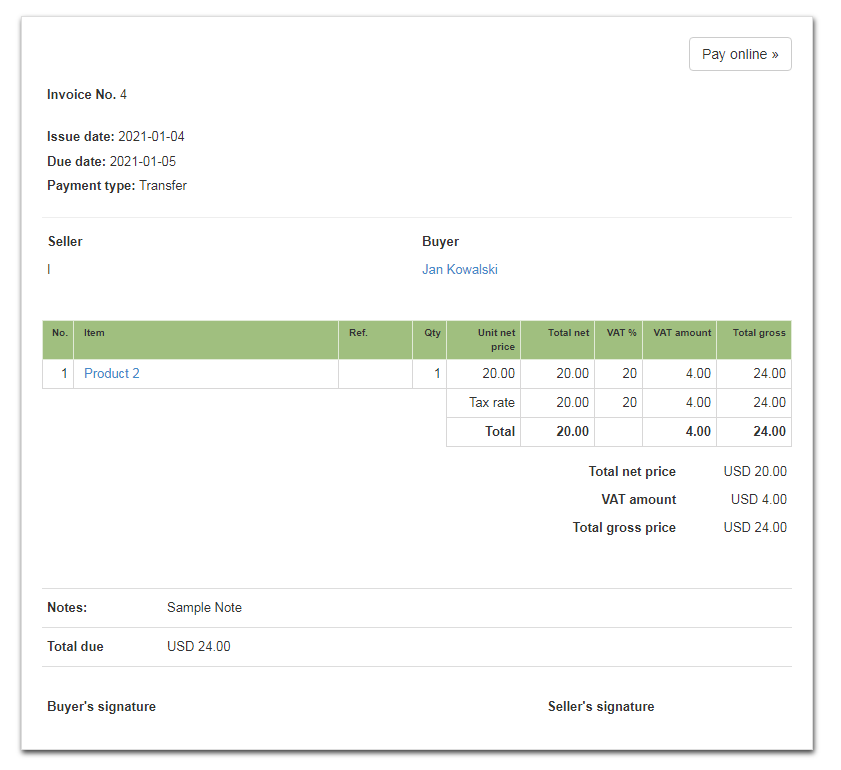
In the system, using the CSS code, you can change the color of the main table header to green, for example.
In order to change to it, go to the Settings> Account settings> Print settings tab, and then at the bottom of the page fill in the field Customize print with CSS with the CSS code shown below:
}
@media all{
table.main_inv_table th {
background-color: #a0bf7f;
border: 1px solid #e1ead7;
}
The example below is based on the Default template, but the above code works in all print templates.
In the above CSS code we used the so-called hexadecimal code of the green color i.e #a0bf7f.
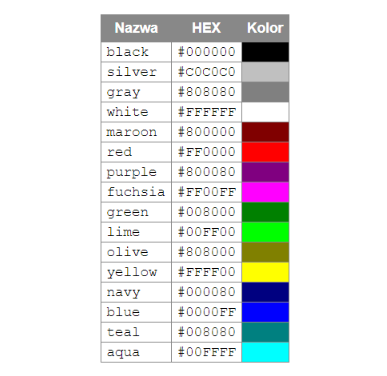
You can use a different color in this CSS code in the form of a hexadecimal code. The primary color codes are listed here:
Additionally, in the Blue template you can use a different color modification using a different CSS code. More information can be found here.