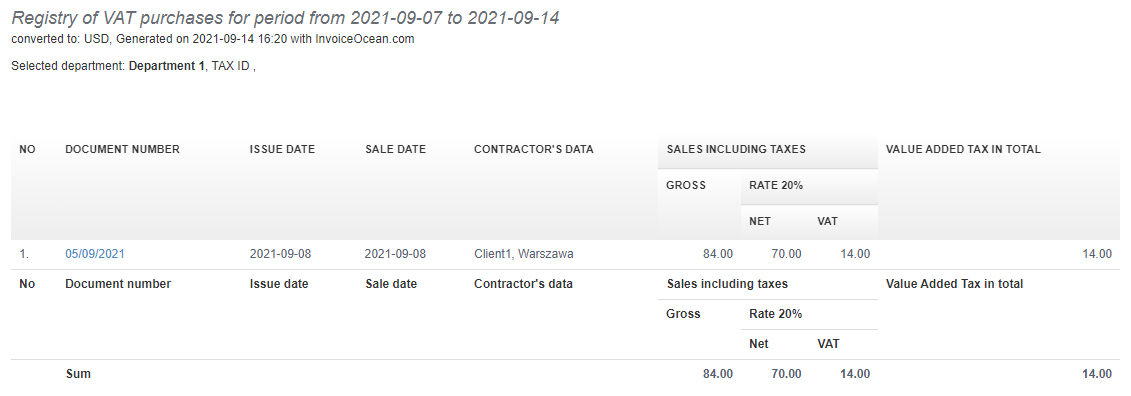
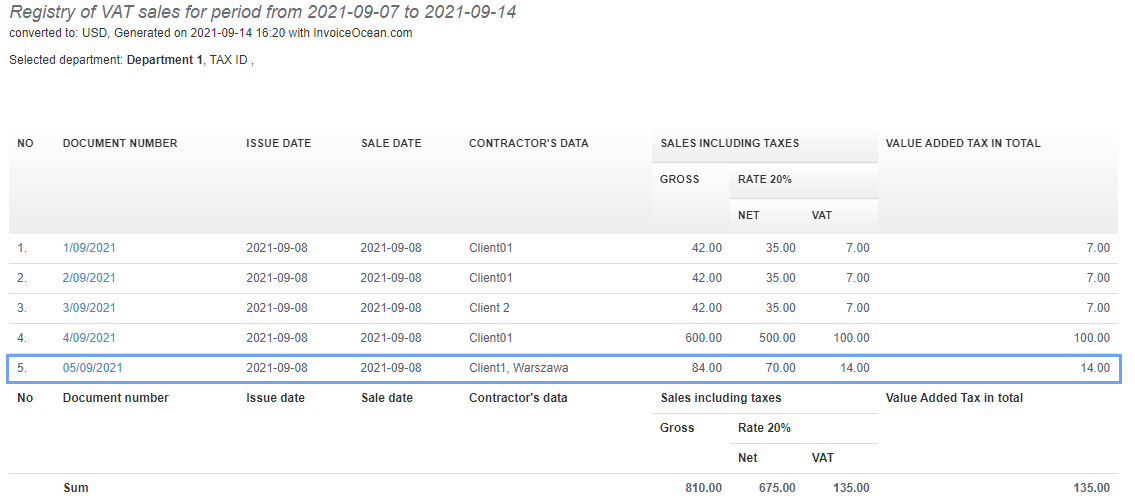
In the InvoiceOcean system, you can correctly account for expense invoices subject to the reverse charge mechanism (such as intra-Community acquisition of goods, import of services, or international transactions) by applying the domestic VAT rate solely for declaration purposes. For this purpose, a technical line is used, which does not affect the appearance of the invoice but enables the correct inclusion of the document in VAT registers.
How to activate the reverse charge procedure?
To issue invoices under the reverse charge procedure, you must activate it as a document type within your account settings.
To be able to issue revere charge invoices:
1. Go to the Settings > Account settings tab.
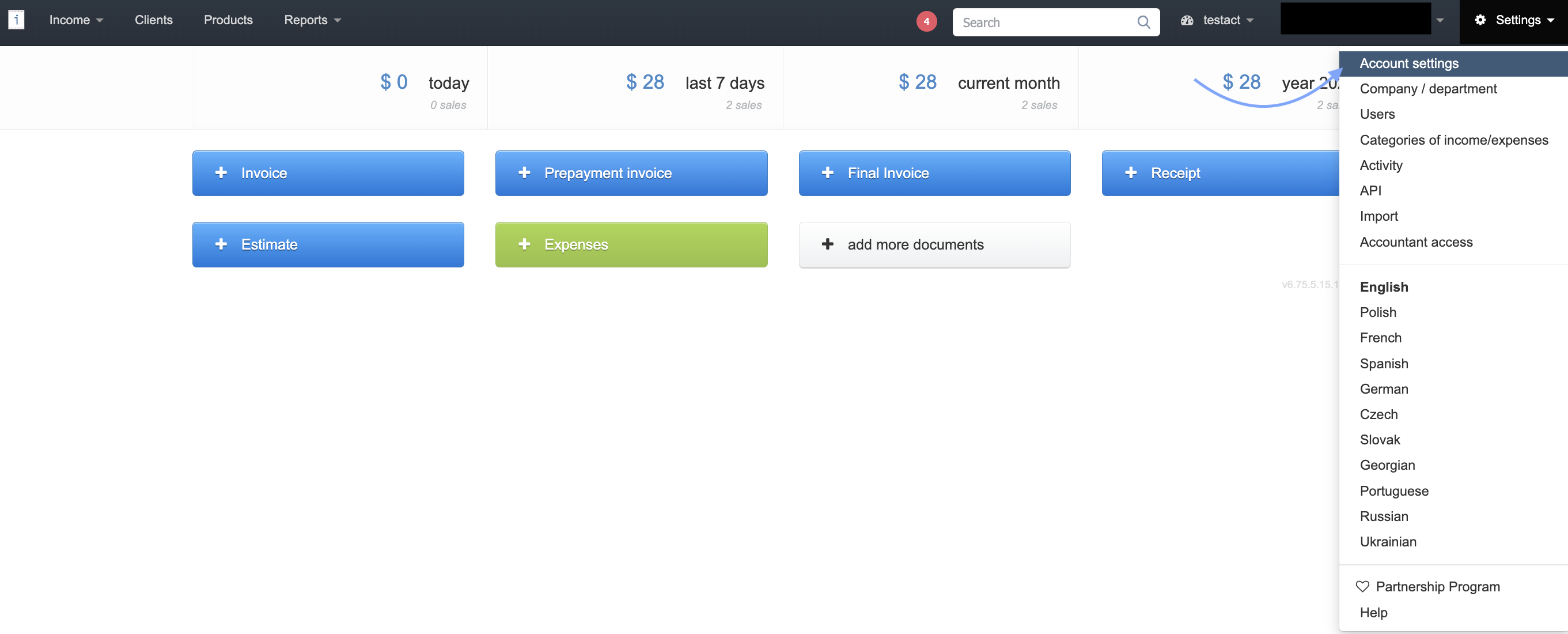
2. On Your account page, displayed by the system, in the section Additional documents to issue, check the checkbox next to Reverse charge option.
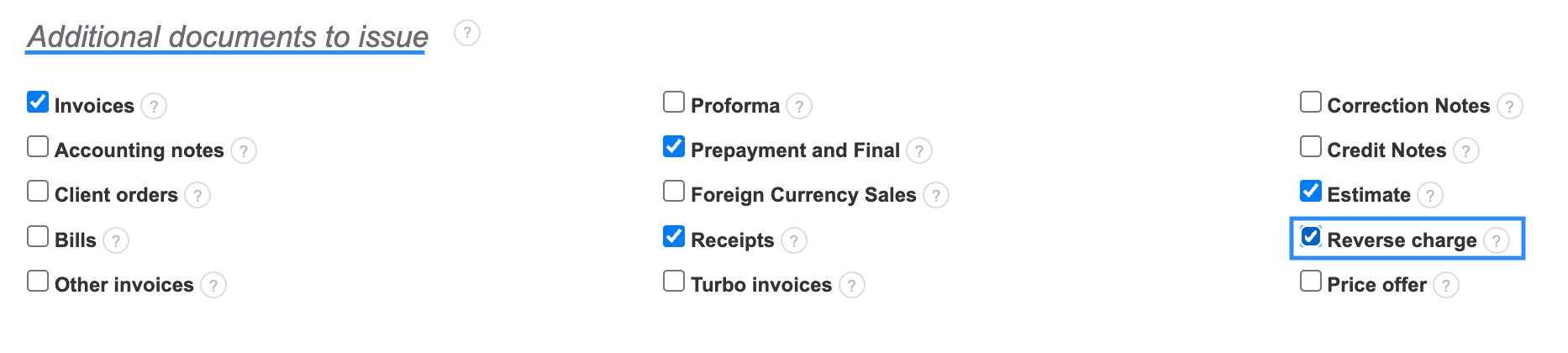
3. Confirm the changes by clicking the Save button at the bottom of the page.
If you want to enter the reverse charge invoice into your costs (the Expenses tab in the system) in such a way that VAT value will be visible both in VAT purchase and VAT sale records, you should properly enter the invoice into the system.
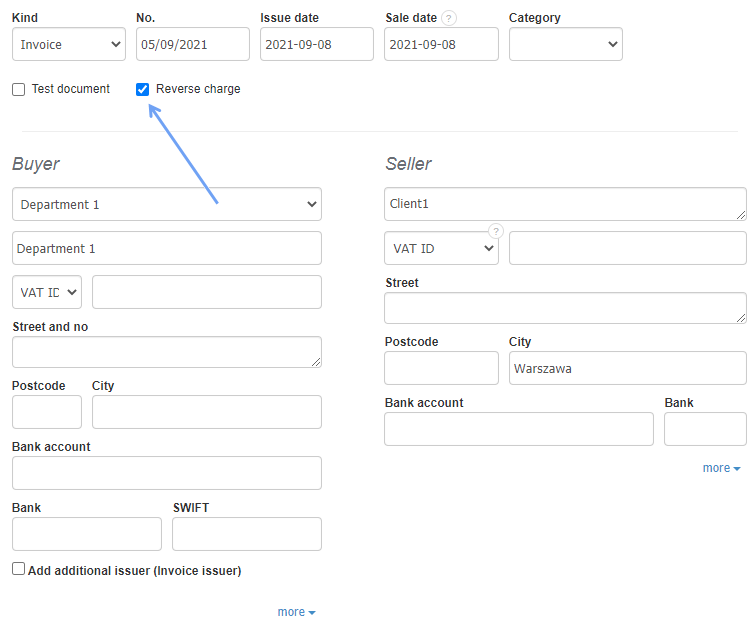
- When entering the expense, indicate that the invoice is subject to reverse charge.
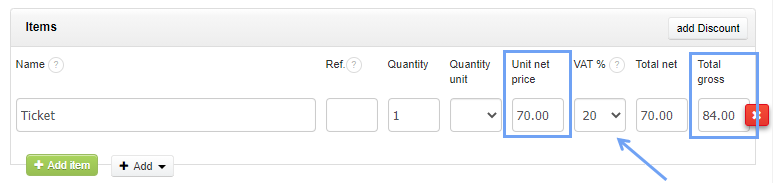
- In the invoice items, enter the net amount from the client’s sales invoice and specify the appropriate VAT rate that applies to you as the Buyer.
The finished invoice looks as follows:
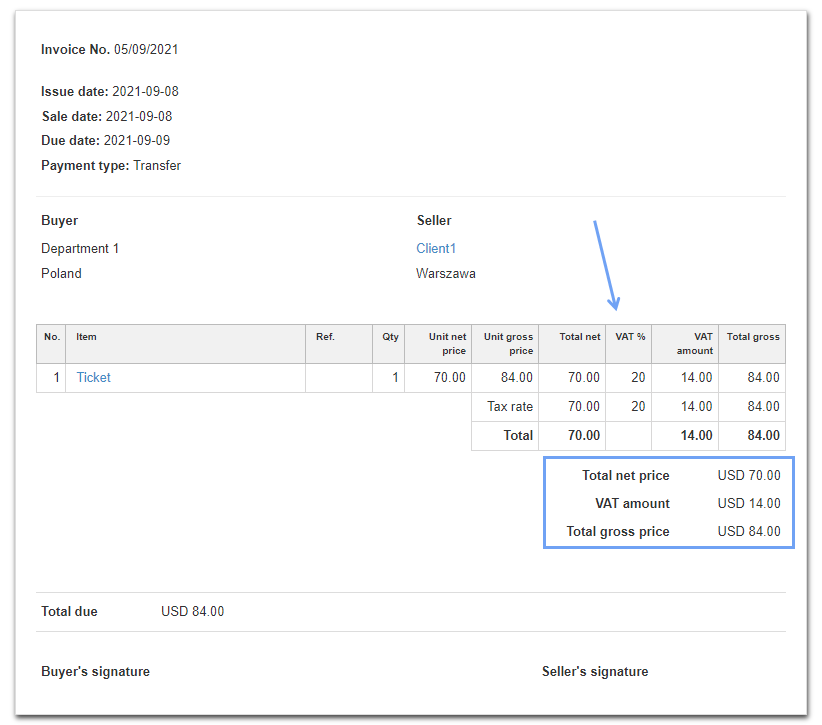
The invoice will be visible in the Registry of VAT sales and Registry of VAT purchases, because as the Purchaser you have the right to both settle and deduct this VAT.