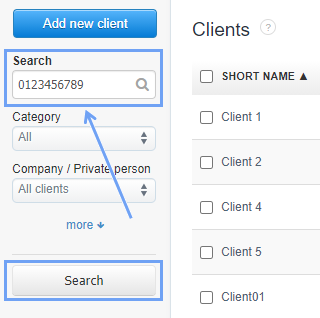
In InvoiceOcean, it is possible to search for a client in the client list by their tax identification number.
In order to do so:
- go to the Clients tab
- in the search field on the left side enter the client’s VAT ID
- press the Search button
The system will search for the client regardless of whether the number entered:
- will remain a string of digits (0123456789);
- will be separated with spaces (01 23 45 67 89)
- will be separated by hyphens (012-345-6789)
- will be entered in the form of the European VAT ID number (PL0123456789)