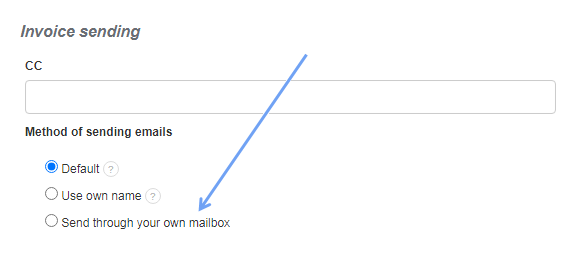
InvoiceOcean allows you to send e-mails with invoices through your own mailbox, connecting to the SMTP server. To set up your own SMTP mailbox, go to Settings> Invoice sending> Send through your own mailbox.
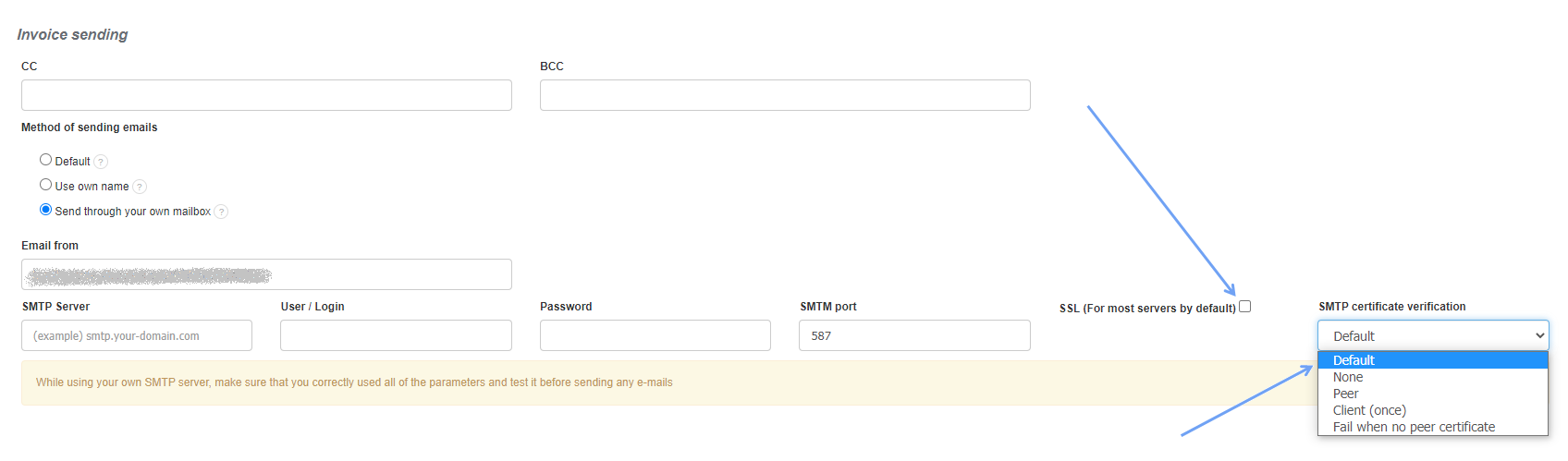
Sample configuration for Gmail server:
- E-mail address: Jan Kowalski <login@gmail.com>
- Server: smtp.gmail.com
- Login: login (without “gmail.com”)
- Password: password
- Port: 587
- SSL: Disabled
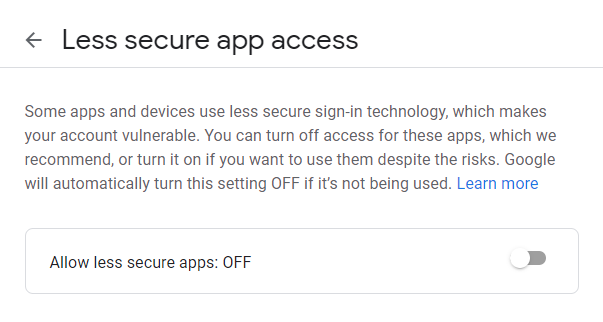
In order for the sending to work in the Gmail mailbox, you must also read the tip on the Gmail website and enable access to your mailbox on this page by Google account.
It is mainly about disabling the option that allows less secure apps to log in through the Google account.
In addition, it is also worth to deactivate SSL in Settings> Invoice sending> Send through your own mailbox and set the Default setting in the SMTP certificate verification field.
Please check your mail configuration and operation before use. This option disables sending e-mails from the default addresses and addresses given in the departments.
This option is available from the Enterprise subscription plan.