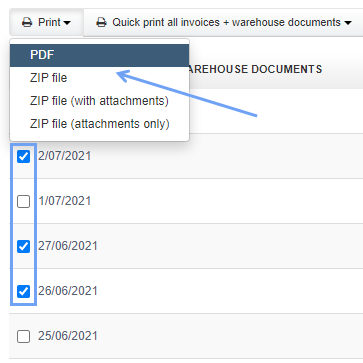
Our system allows you to select through checkboxes several invoices issued and automatically print them. Additionally, instead of a traditional printout, an invoice can be turned into a pdf file.
At first, you should install a pdf converter on your computer - here you can find one suggestion. This will add a printing tool which will allow you, when printing, to choose the converter which will turn the file into a pdf. Then you just have to select via checkboxes which invoices you want to print and click Print> PDF.
Searching for an answer...
AI Answer
Sources
Was this answer helpful?
Unfortunately, I couldn't find an answer to this question.