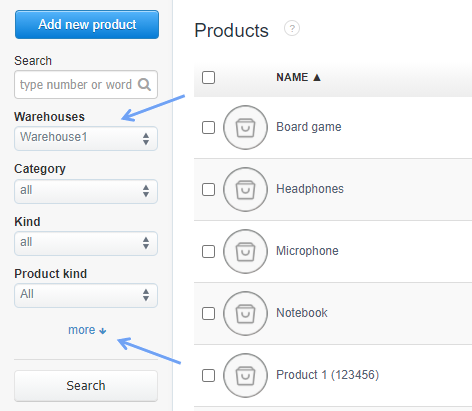
By going to the Warehouse> Products tab, you can quickly check the availability of products in warehouses, according to specific filters visible on the left side of the product list.
1) Select the warehouse for which you want to check the quantities of given products, and then develop further filters using the more option.
2) More filters appear, such as the One time sale (amount) filter.
You can choose there the following filtering options:
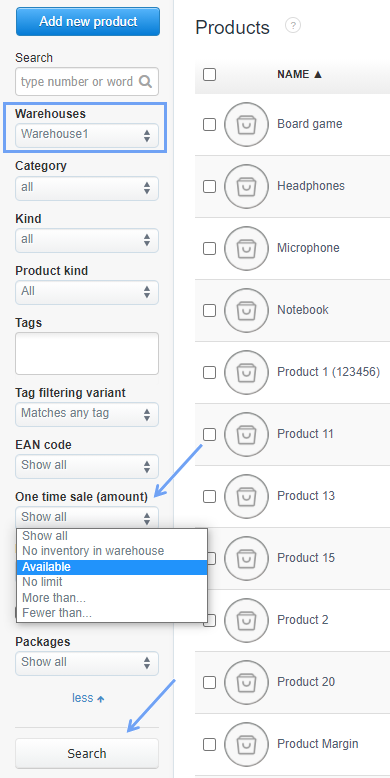
- Show all - filters all products whose quantities have ever been in stock,
- No inventory in warehouse - filters all products, which are not in stock,
- Available - filters all products, which are in stock,
- No limit - filters the products in the system, which do not have an established stock limit (link),
- More than… - by entering a number, you can filter the quantity of the product above the value you entered,
- Fewer than… - by entering a number, you can filter the quantity of the product below the value you entered.
After setting the filter, simply click the Search button.