The possibility of creating Credit Notes in our system is already known to our users. Instructions on how to deal with the correction of an invoice are described here.
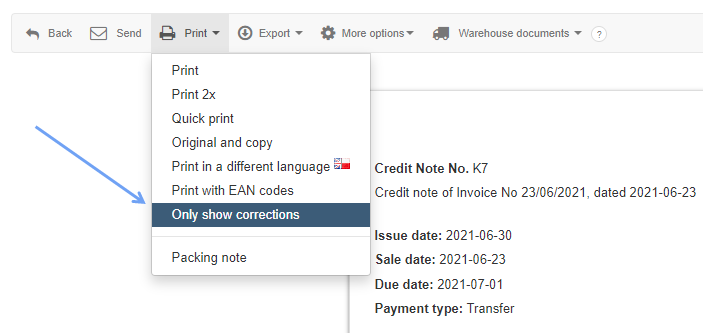
In InvoiceOcean we have added a possibility to print Credit Notes, where only the corrected items are included.
In order to print an invoice with only the corrected items, go to the preview of the corrected invoice by clicking on its invoice number and from the pop-up menu choose Print > Only show corrections.
After clicking it, only the corrected items should appear on the printout.