InvoiceOcean allows you to export selected invoices to pdf files together with attachments by compressing the selected data into a file with ZIP extension.
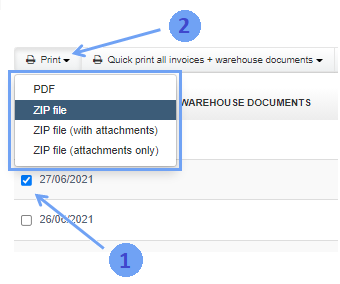
To do this, go to the tab Income/Invoices> Invoice and check the boxes next to the selected invoices.
A pop-up menu will appear, from which you can select Print> zip file or Print> zip file (with attachments).
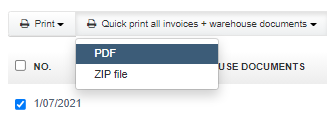
In a similar way, invoices and warehouse documents can be compressed into a pdf file.