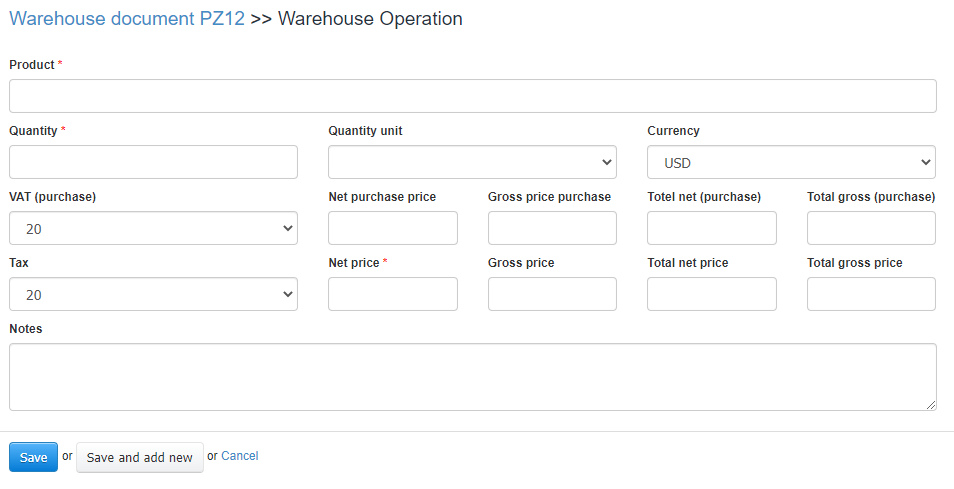
We have made available an option in the system to change the format of the issued warehouse document; the older view we offered looked as follows:
In the first step of creating an AG document you would see a form where you could customize: Warehouse, Supplier, Recipient, Issue date, Currency.
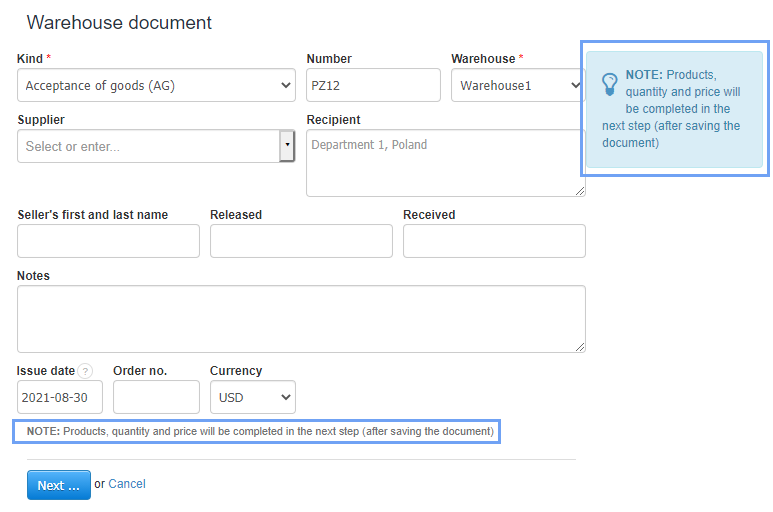
Only after clicking the Next… button, you moved to entering the product, its quantity, price, unit and taxes
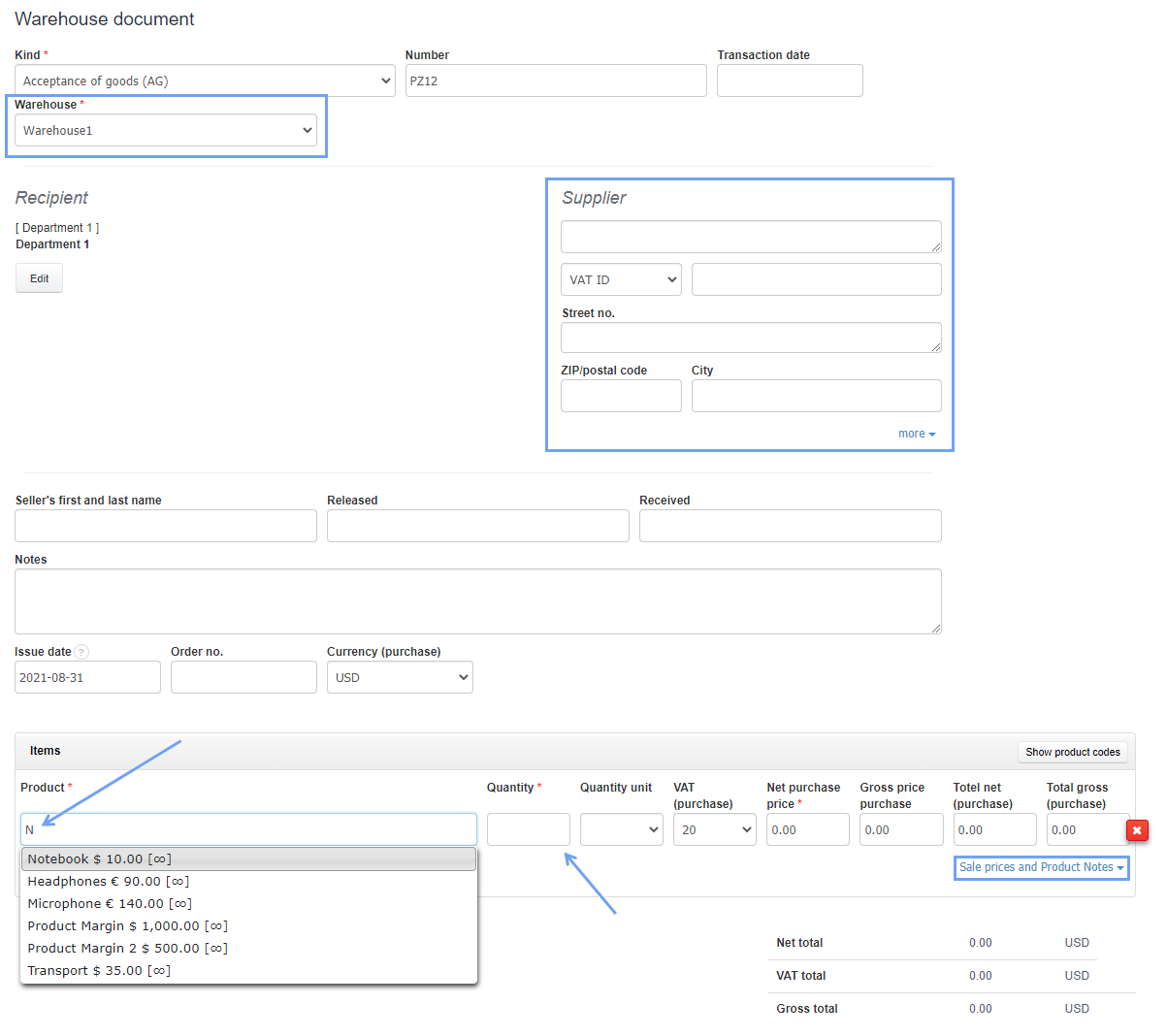
The new warehouse document form is similar in appearance to the invoice form. All data can be entered on one page.
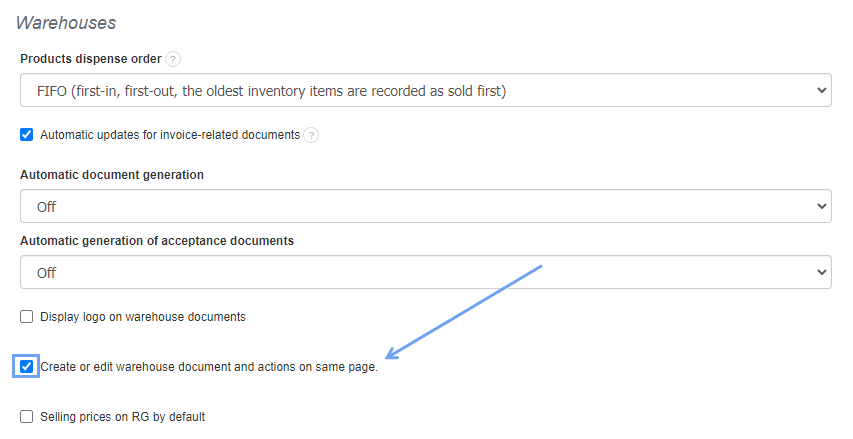
If you want to change the appearance of the warehouse document template, go to Settings> Account Settings> Configuration> Warehouses and check the box Create or edit warehouse document and actions on same page.
After saving the changes in the system, warehouse documents will be issued according to the new format.