When entering data manually, mistakes or typos in the client’s name may occur and result in the unnecessary creation of another client on the list.
That’s why InvoiceOcean offers the possibility of merging clients.
To combine duplicate Clients:
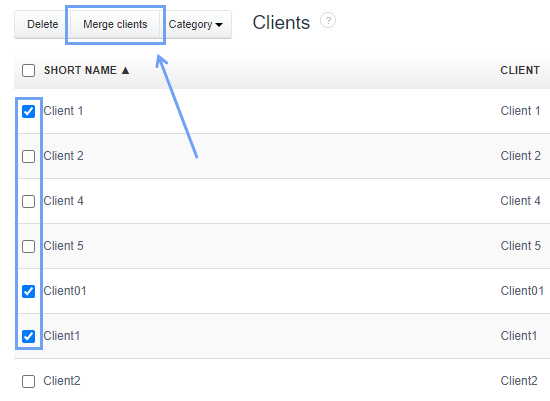
- go to the Clients tab
- select the checkboxes next to similar names
- Press the Merge Clients button
- press the Select button next to the Client name you want to use
As a result, in the list of Clients only one Client will remain from among all the selected ones.
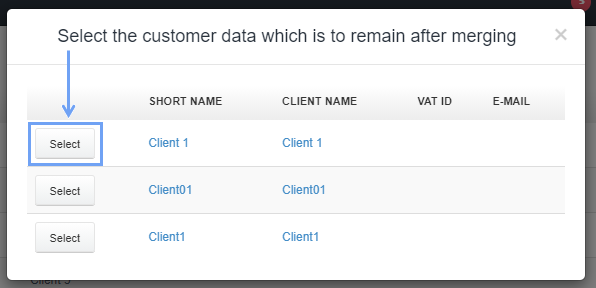
If there is different data in the same field in the cards of several Clients, the system will update this field to the information from the card of the selected Client.
Merging Clients will not affect the data placed on previously issued documents.