However, InvoiceOcean gives its Users the possibility to change this rule and set both smaller and larger number of characters.
To do this:
- go to Settings> Account settings
- go to Configuration> Ways of calculation
- in the field Number of decimal places in price or Number decimal places in quantity select the options that are convenient for you
- press Save
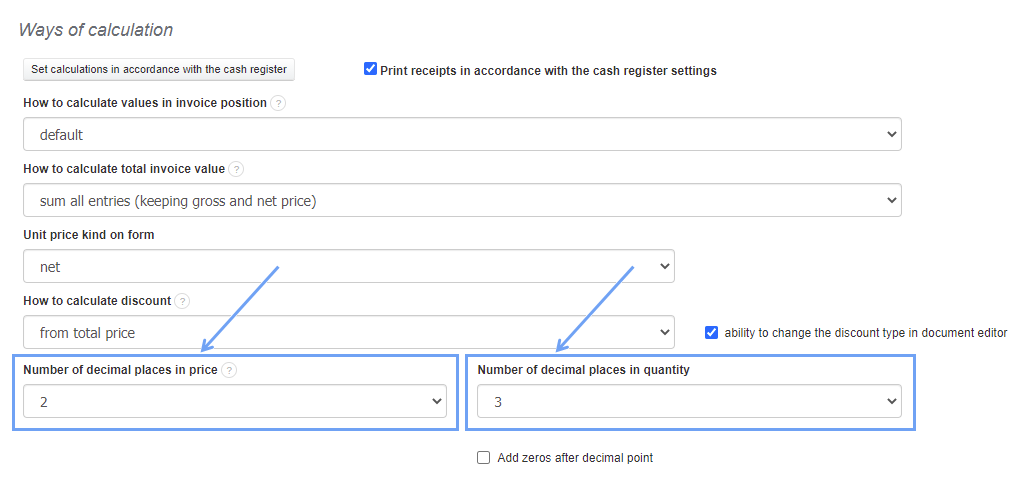
Remember, that number of decimal places in prices will not be visible in the gross value of the invoice, as this value must be rounded to two decimal places.