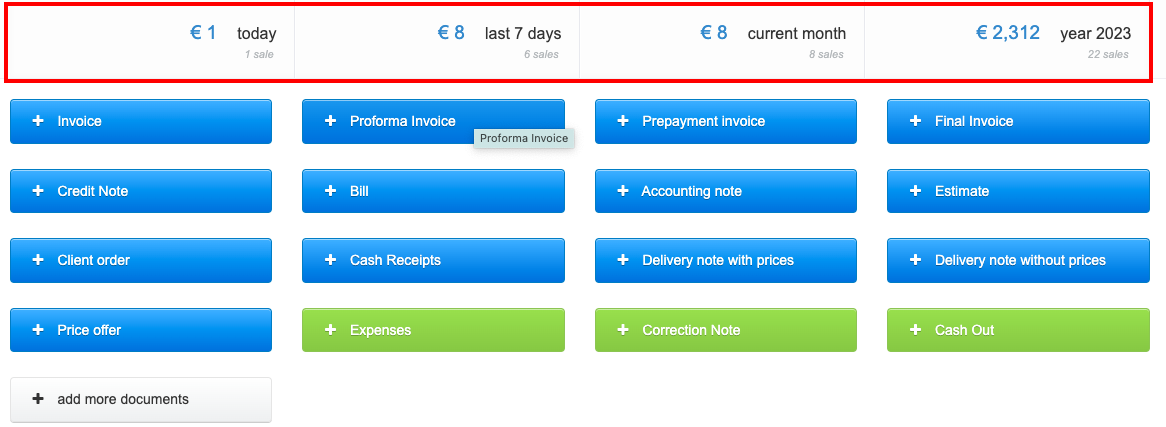
After logging into the InvoiceOcean account, the user sees the main screen displaying active buttons for issuing documents. On the main screen, sales statistics are also visible, broken down by:
day, last 7 days, month, and year
Access to statistics is available to every user of the system, regardless of whether they have the status of an account owner, administrator, or regular user
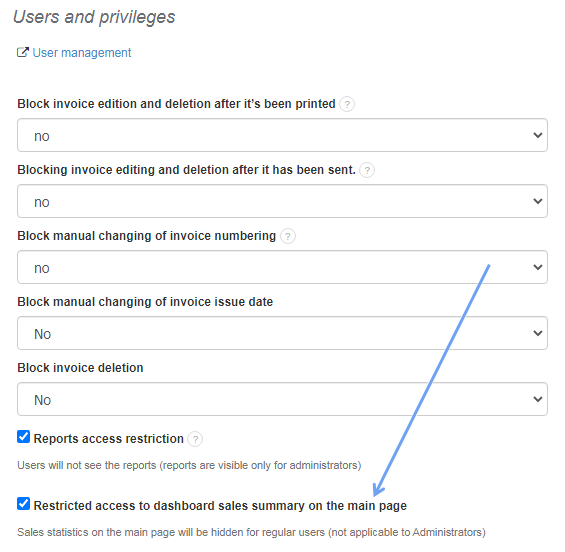
In the system, there is the possibility to limit the visibility of the above statistics for users who do not have the status of an account owner or administrator. To restrict access to statistics for users, you should go to the tab Settings > Account Settings > Configuration > Users and Privileges > Restricted access to dashboard sales summary on the main page.
Additionally, you can disable the preview of sales statistics for all users on the account, including the account owner and administrators. In this case, the statistics will not be immediately visible on the statistics page, but by clicking on the icon with the statistics symbol, they can be quickly displayed.
The option comes in handy when we need to issue an invoice in the system while being at the customer's location, and we don't want our customer to have access to the company's sales statistics.

To enable the hiding of statistics, you can go to the tab Settings > Account Settings > Configuration > Hide sales summary on the main page.
We can also divide the statistics on the main page into individual departments of the company. The instructions on how to do this can be found here