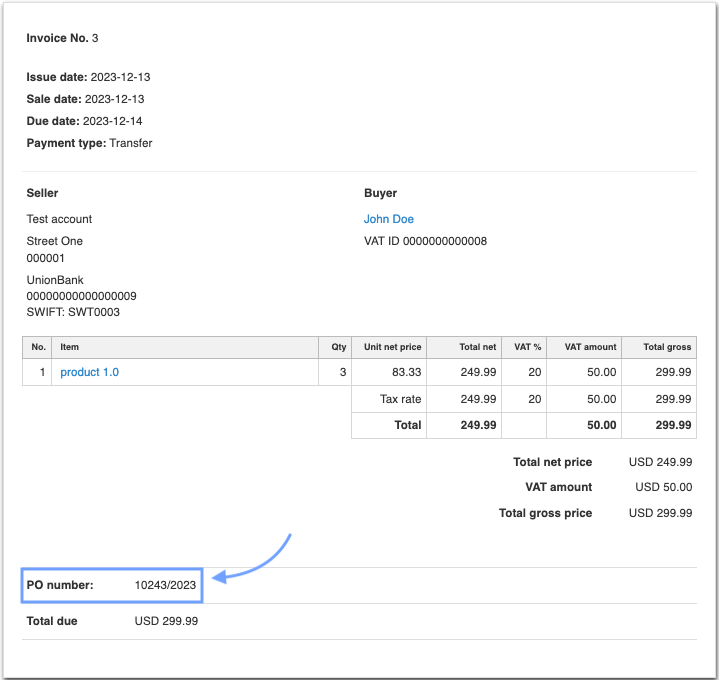
Where to enter the Purchase order (PO) number on the form?
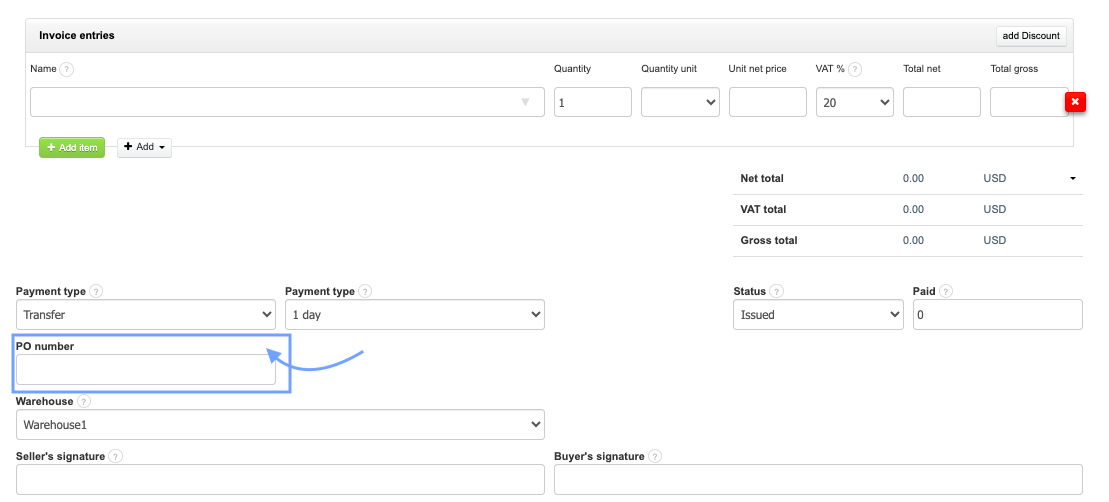
The PO number field is available on the document creation/editing form. Under the payment type you will find a dedicated field for entering the PO number. After entering a value in this field, it will appear on the document printout if the display of the order number is active in the Account settings.
How to display the PO number on print and PDF?
To make the PO number visible on print and PDF:
1. Go to the Settings > Account Settings > Prints settings
2. Check the checkbox next to the option Show PO number
2. Check the checkbox next to the option Show PO number
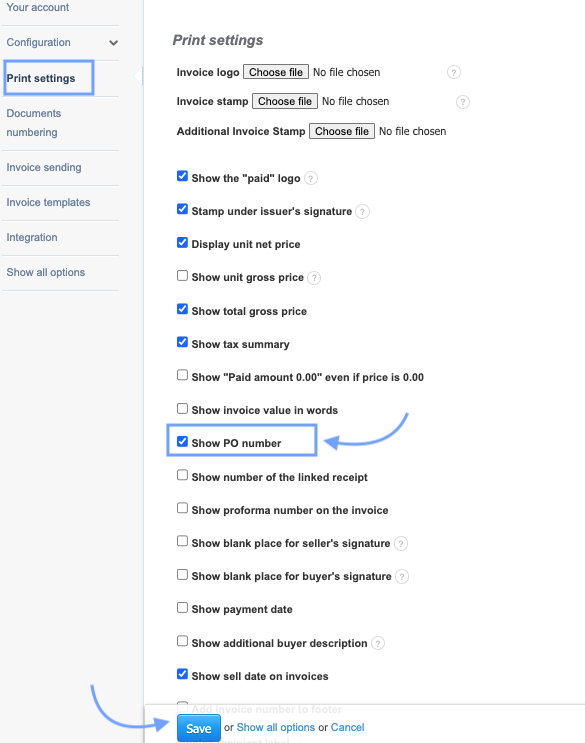
3. Confirm the changes by clicking the Save button at the bottom of the page.
If the Show PO number option is active, the value entered in the PO number field in the form will appear on the document printout