It often happens that data that is not numerical value affecting the amount of the transactions must be corrected. This may be, for example, incorrect client data such as address or VAT ID; It also happens that the city or the name of the product sold needs to be corrected. From the Buyer level of the invoice, such correction can be made using the correction note.
How to proceed when the above-mentioned data are to be corrected from the Seller's position?
The seller is obliged to issue a credit note.
We have introduced additional fields in the system, in which you can enter data that are not numerical values affecting the transaction amount.
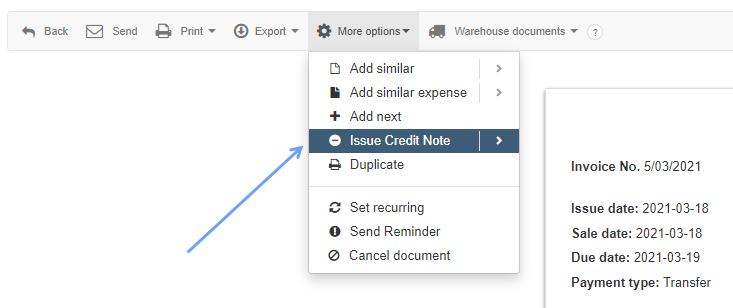
Go to the Income/Invoice tab, then select the invoice to be corrected and from the pop-up menu select More options>Issue Credit Note.
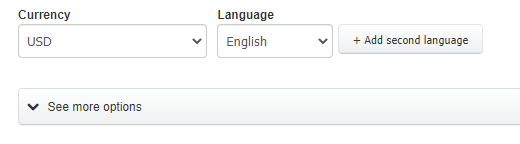
A slightly different credit note form will be opened; expand the See more options tab.
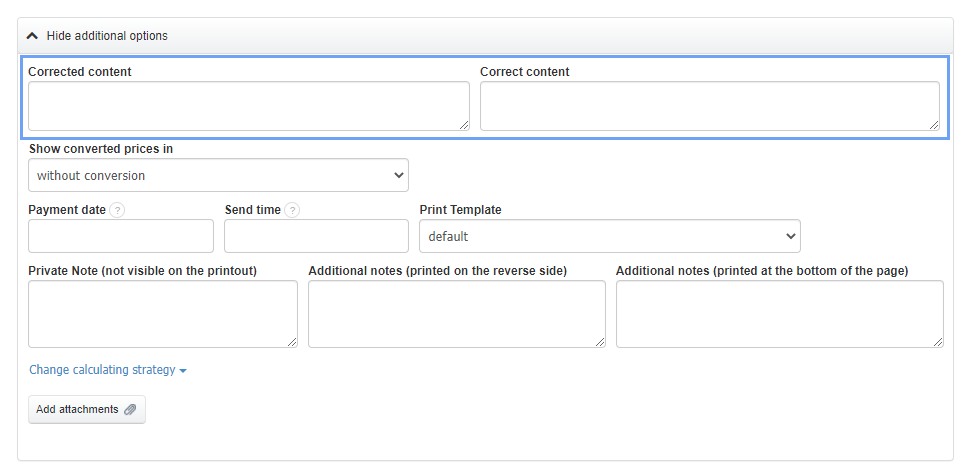
After expanding this tab, you will see two fields to enter the content intended for correction and the correct content that should be on the invoice.
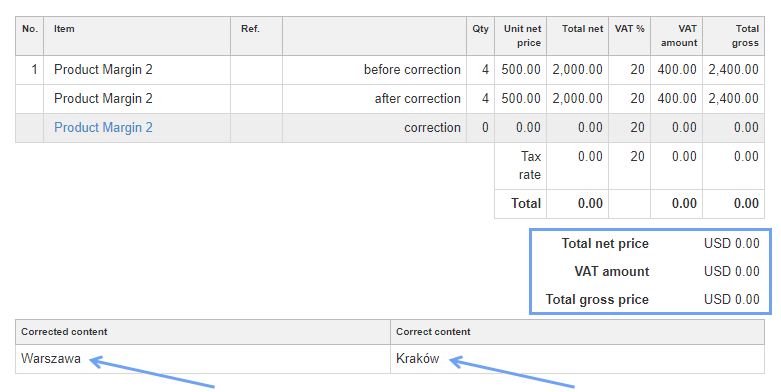
After saving such corrections, figures regarding transactions will not change (the correction amount will be zero), but the descriptive data correction will be included.
Of course, the main purpose of the invoice is the correction of figures affecting transactions. Instructions on how to make such a correction can be found here.