InvoiceOcean allows you to define various document numbering formats. One of the variables that can be used is the 'dd' variable, responsible for indicating the day of the month. By default, the system records the day number as a single-digit value. If you want the numbering format to always include a double-digit value, you need to activate this setting in the system. In this article, you will learn where to enable the double-digit format of the day number.
Always use a double-digit day format for numbering
To activate the double-digit day format:
2. Check the checkbox next to the Always use a double-digit day format option
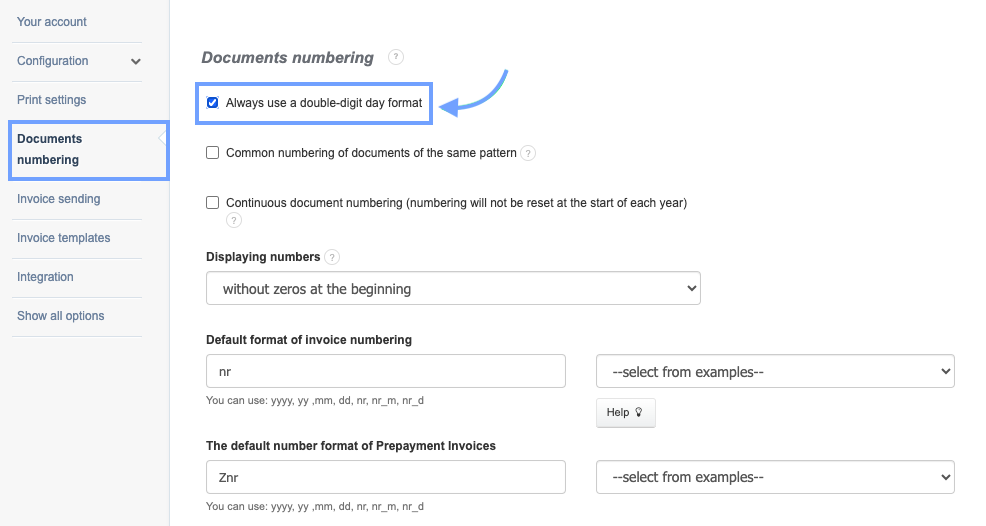
3. Confirm the changes by clicking Save at the bottom of the page.
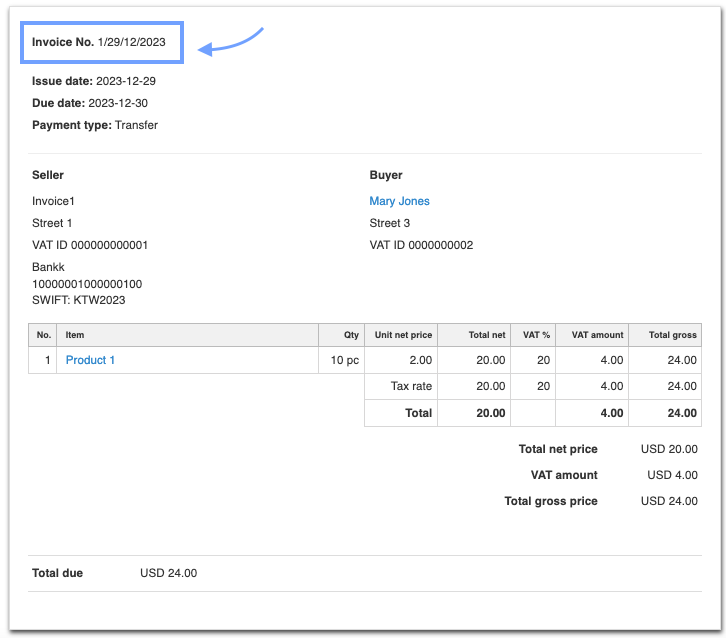
Activating this option will make the day value in the document number display as a double-digit value, as shown in the example document.
The accepted numbering format is nr-m/dd/mm/yyyy. For a document issued on December 29, 2023, with the Always use a double-digit day format option active, the day value is displayed as 1/29/12/2023.
Also, check:
Invoice numbering
Common numbering of documents of the same pattern in different departments
Continuous document numbering (numbering will not be reset at the start of each year)