When selecting a product on the invoice, which on the product card has a different currency than the currency selected on the invoice form, the program will signal the data inconsistency with a message about the difference in currencies.
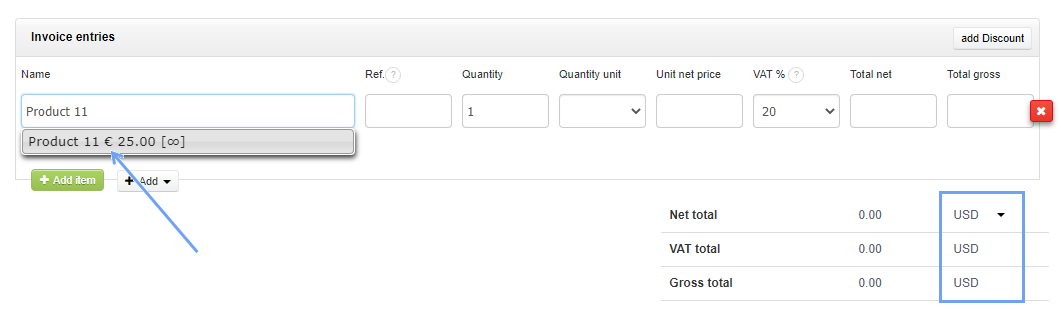
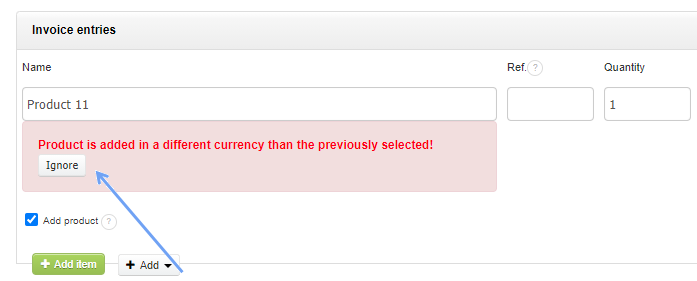
At this point, you can change the invoice currency or select the Ignore button under the red message.
After clicking the Ignore button, the program will change the product currency to be the same as the invoice currency.
However, this will not convert the product price amount into the invoice currency. Prices will remain unchanged.