One of the parameters influencing the correct assignment of payments to the respective invoice is the transaction amount. Under default account settings, the amount must match down to the penny.
There is a system setting that allows for the automatic assignment of payments even if the transaction amount indicates an overpayment or underpayment.
Users can activate this option by going to Settings > Account Settings > Configuration > Payments > Use partially paid invoices
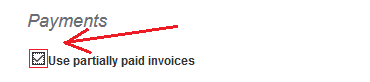
Checking this box and saving the changes (by clicking the Save button at the bottom of the page) will result in the program, during the bank payment import, assigning payments to invoices without considering the exact amount on the invoice. This will lead to the indication of overpayments and partial payments in the system payments.